Run an influencer promo
proCreate a trackable discount code, hand it to an influencer, and read its per-code impact report.
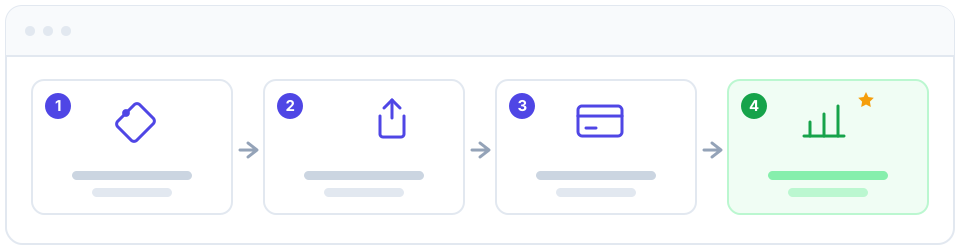
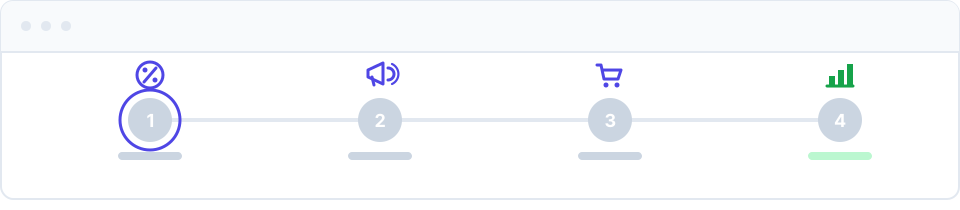
A promo is one of the fastest ways to bring in new clients and reward loyal ones, but only if you can see whether it actually paid off. In Apolaris AI you create a discount code once, attribute it to an influencer or campaign, hand it out, let your team apply it at checkout, and then open a per-code impact report that ties every redemption back to real revenue. No spreadsheets, no guessing whether the campaign was worth it.
Before you start
- You need the can manage discounts privilege (
can_manage_discounts), or you must be a domain manager. This lets you create codes and read their impact reports. - The Discounts module must be enabled for your organization. Module activation is handled by Apolaris during setup, not from the manager console — if you don't see a Discounts section, contact Apolaris support to have it turned on.
- Decide what you're offering (for example 15% off, or a fixed amount) and who is promoting it.
Creating a code and applying it at checkout are two different permissions. Creating codes and reading impact reports require can_manage_discounts (this is your HQ / marketing role). Applying a code at checkout rides on can_manage_sales — your front-desk cashiers can redeem codes without being able to create or edit them.
Run the promo step by step
- Go to Discounts and choose Create discount code.
- Enter a memorable Code (for example
MARI15) — short, on-brand codes are easier for an influencer to say on camera and for clients to remember. The code is uppercased and checked for uniqueness within your organization. - Optionally add a Campaign name (internal only).
- Fill in the Influencer / partner and Handle / channel fields if the code belongs to a specific person. This is the attribution dimension the impact report groups by.
- Set the Discount type (percentage or fixed amount) and Discount value. For percentage codes the value is a percent from 0–100; for fixed codes it is money off.
- Optionally set the campaign limits described below.
- Make sure Active is on, then Save the code.
- Share it with your influencer. Give them the exact code text and the offer wording so they say it consistently to their audience.
- At checkout, staff apply the code. In Sales & point of sale, the cashier enters the code on the cart; if it's valid the discount is applied and recorded automatically. It also works at portal checkout for online bookings.
- After the campaign, open the code from the Discounts list to see its impact report.
Campaign limits you can set
Limits are optional, but they keep a public code from running forever or being abused. A discount code applies across your whole organization — there is no per-site restriction.
| Field | What it controls | Note |
|---|---|---|
Valid from / Valid until (starts_at / ends_at) |
The date window the code is redeemable | Outside the window the code is rejected as "not valid yet" or "expired" |
Total use limit (max_uses) |
Total redemptions allowed across all customers | 0 = unlimited |
Per-customer limit (max_uses_per_customer) |
How many times one customer can redeem the code | 0 = unlimited; the strongest guard against repeat abuse |
Minimum purchase (min_purchase) |
Minimum cart subtotal required before the code applies | Stops a high-value % off being used on a tiny ticket |
The Per-customer limit is your best defense against a single client reusing a public code over and over. Set it to 1 for a true "new customer / first visit" offer.
Read the impact report
Open a specific code from the Discounts list to see its per-code impact report. There is no organization-wide promo report — each code has its own page. The report links each redemption to the sale it came from, so you can see total uses, unique customers, the gross revenue driven, the discount given, the net revenue, and a month-by-month trend. Open each code in turn to compare influencers or offers and decide which to repeat.
Give each influencer their own unique code, and fill in the Influencer / partner and Handle / channel fields. The impact report then attributes redemptions to the right person — no manual tagging required.
Discounts reduce the recorded sale to its net value, and every redemption is snapshotted into the report's own ledger. So your Analytics and revenue figures already reflect the promo, and the impact report stays accurate even if the original sale is later changed or removed. There's no separate reconciliation step.
A discount lowers the net sale amount that your reports count. A generous percentage code with no Total use limit, no Per-customer limit, and no Valid until date can be over-used and quietly erode your margin. Set at least one limit before sharing a code publicly.
Related pages
- Discount codes — full reference for creating and managing codes
- Sales & point of sale — applying a code at checkout
- Analytics & Data Explorer — see the campaign's effect on overall revenue
- Loyalty program — reward repeat clients alongside one-off promos