Loyalty program
proReward repeat customers with two mechanics — spend-based points and visit stamps — plus tiers, a reward catalog, and a scannable card.
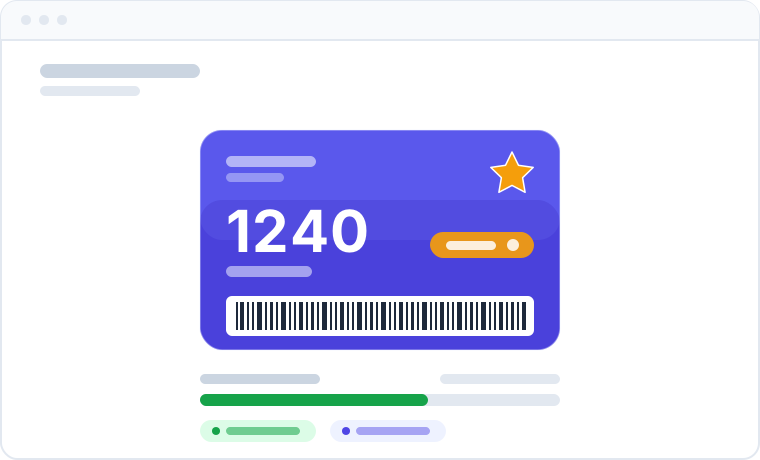
The loyalty program turns paying customers into returning ones. Each enrolled customer gets a digital fidelity card with a scannable barcode, earns rewards automatically from real transactions, and climbs spend-based tiers. Because it runs on the same data as your sales and appointments, there is nothing to track in a spreadsheet and no separate punch-card app to reconcile — balances are always correct and always up to date.
Loyalty must be enabled as a module for your organization before the section appears. Modules are managed by Apolaris AI — contact support if Loyalty is not available.
Two mechanics: points and stamps
Loyalty has two independent reward axes. It is important to keep them straight, because they are earned by different events.
| Mechanic | Earned when | What it tracks |
|---|---|---|
| Points | A sale becomes paid at the point of sale | A spendable balance (Customer.loyalty_points) |
| Stamps | A booking is marked completed in the calendar | A running visit counter (stamp_count) on the card |
A completed appointment does not award points — it adds one stamp. Points come only from paid sales. If you tell customers an appointment earns points, they will think their balance is wrong. Frame appointments as filling a stamp card and sales as earning points.
So a customer can finish a service (one stamp) and, when they pay for it (points), advance both mechanics in a single visit — but each is driven by its own event.
How points are earned
Earning is configured once per organization on the loyalty program settings and applies to every paid sale.
| Setting | What it does | Default |
|---|---|---|
Points earned per 1 unit of currency (points_per_currency) |
Multiplier on the sale amount, e.g. 1 point per $1 | 1 |
Redemption value (currency_per_point) |
Money taken off per point spent when redeeming | 1 |
Minimum balance to redeem (min_points_to_redeem) |
Points cannot be spent below this balance | 0 |
Earn points on tips (earn_on_tip) |
Whether tips count toward earning | Off |
Enrollment bonus (enrollment_bonus_points) |
One-off points granted when a customer is enrolled | 0 |
Birthday bonus (birthday_bonus_points) |
One-off points granted once per year on the customer's birthday | 0 |
Points are computed as the sale amount multiplied by your points-per-currency rate, rounded down to a whole number. By default tips do not earn points — tips are excluded from revenue and paid out to staff — so turn on Earn points on tips only if you want them to count.
Points are earned on the net sale amount, after any discount. Because a discount code lowers the sale total, a customer who uses a discount earns points on the discounted price, not the original (gross) price. This is usually the behavior you want — but if you run a deep promo, expect points earned on those sales to drop proportionally. The same net figure is what your Analytics report.
Tiers (spend-based)
Tiers are a separate axis from points. A customer's tier is determined by their total spend, not by their points balance — the two move independently.
- Each tier has a minimum total spent (
min_total_spent) threshold. A customer is placed in the highest tier whose threshold their spend meets. - Each tier can carry a standing perk (
perk_discount_pct) — a discount the customer always receives while at that tier.
The default ladder, seeded automatically the first time the program is created, is:
| Tier | Min. total spent | Standing perk |
|---|---|---|
| Bronze | 0 | — |
| Silver | 500 | — |
| Gold | 2000 | 5% off |
| VIP | 5000 | 10% off |
You can rename tiers, change thresholds, set perk percentages, and add or remove tiers to fit your business.
The reward catalog
Rewards are richer than "points cost X". Each reward has a type that determines how it is earned and what benefit it grants:
| Reward type | Earned with | Benefit |
|---|---|---|
Points → money off (points_money) |
Points (points_cost) |
A fixed amount off (discount_amount) |
Points → % discount (points_percent) |
Points (points_cost) |
A percentage off (discount_pct) |
Stamp card → free / discounted service (stamp_service) |
Stamps (stamps_required) |
A free or discounted service (free_service), optionally limited to one service category |
Tier standing perk (tier_perk) |
Reaching a tier | The tier's standing discount |
Birthday voucher (birthday) |
The customer's birthday | A fixed amount off (discount_amount) |
A stamp-card reward can be restricted to a single service category, so for example "free service after 8 visits" only counts visits toward the stamp goal.
The card and ledger
Every enrolled customer has a loyalty account — their digital fidelity card.
- Card number follows the format
LC-000123-7: a zero-padded record id with a final mod-10 check digit. This is rendered as a Code39 barcode on the customer profile and in the customer's portal, so staff can scan it at checkout or the customer can show it from their phone. Customer.loyalty_pointsis the customer's cached, authoritative balance.- Every balance change is recorded in an immutable transaction ledger (earn from purchase, enrollment bonus, birthday bonus, manual award, redemption, adjustment), so you can always see exactly how a balance was earned or spent.
- Reward redemptions are tracked separately with a status of issued, applied, or void.
Earning is idempotent per sale. A database guard ensures one paid sale can only ever credit points once, even if the sale is re-saved (for example when a receipt is generated). You will not see a customer double-credited for the same purchase.
Roles: who does what
Access is granted per privilege. A domain manager (is_manager) always passes both checks below; a non-manager needs the specific privilege.
| Action | Required privilege |
|---|---|
| Configure the program, tiers, and reward catalog | is_manager or can_manage_loyalty ("Manage Loyalty Program") |
| Enroll customers, award points, redeem rewards | is_manager or can_use_loyalty ("Use Loyalty Program") or can_manage_loyalty |
There is no separate "HQ" flag — the operator who configures the brand-wide program is simply someone with can_manage_loyalty. A manager implicitly holds both privileges. Anyone with can_manage_loyalty can also perform the counter operations.
See Users & privileges to assign these, and the privileges reference for details.
Set up the program
Who can do this: is_manager or can_manage_loyalty.
- Make sure the Loyalty module is enabled for your organization.
- Open the Loyalty section from the sidebar.
- On program settings, set your earning rate (points per currency), redemption value, minimum balance to redeem, whether tips earn, and any enrollment/birthday bonuses.
- Review or edit your tiers — set each tier's minimum total spent and standing perk percentage.
- Build your reward catalog — add rewards of each type you want to offer (points→money, points→%, stamp cards, tier perks, birthday vouchers).
- Save. New paid sales start earning points and completed bookings start adding stamps immediately.
For a guided, end-to-end setup, follow the loyalty workflow.
Enroll a customer and redeem rewards
Who can do this: is_manager, can_use_loyalty, or can_manage_loyalty.
- Open the customer's profile and enroll them — this creates their card (and grants the enrollment bonus, if configured).
- At the counter, find the customer or scan their Code39 card.
- Check the current points balance, stamp count, and available rewards.
- Apply the reward the customer chooses. Points are deducted automatically through the ledger and the redemption is recorded; a stamp-card redemption resets that card's stamp count.
You can also award points manually (for example, a goodwill gesture) — every manual award is logged in the ledger with the staff member who made it.
AI reward suggestions
Who can do this: is_manager or can_manage_loyalty.
Apolaris AI can suggest tiers and rewards based on your customers' real spending patterns (average ticket, spend percentiles, most popular service category), so you do not have to guess what will drive return visits. You can refine the suggestions with a written instruction (for example "smaller discounts" or "add a pedicure stamp card") and then apply the ones you like — applying a suggestion creates the tier or reward (or updates the program), with every number re-validated server-side.
The suggestions also work without AI. When AI is disabled, a built-in rules engine produces deterministic, percentile-based suggestions from the same statistics — so you always get a sensible starting point. A free-text instruction, however, needs AI to honor.
Tips and warnings
Print or display the Code39 card at the front desk so customers can scan in seconds — faster than looking anyone up by name.
Encourage customers to open their card in the portal. A visible, growing balance and a near-complete stamp card are two of the strongest reasons to come back.
Points post only when a sale is marked paid, and stamps add only when a booking is marked completed. If staff leave sales unpaid or appointments un-completed, customers miss out — build the habit of closing every transaction.
Why it helps
Retention is cheaper than acquisition. Because earning is automatic and tied to real transactions, the program rewards exactly the behavior you want — repeat visits (stamps) and higher spend (points and tiers) — with zero manual point-keeping. See the payoff in Analytics.