Modules
proThe major features that can be turned on or off per organization, who controls them, and how disabling one behaves.
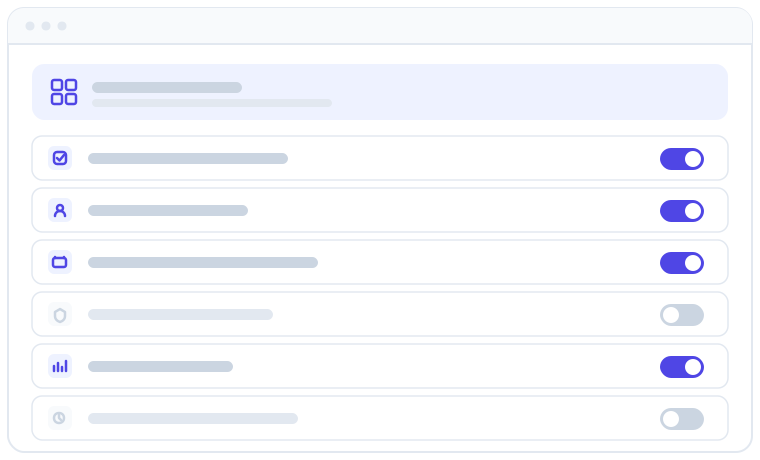
Apolaris AI is modular: each major capability is a self-contained module that can be switched on or off for your organization. Instead of paying for and navigating a single bloated, all-or-nothing system, you run exactly the features your business needs — and the interface stays clean because staff only ever see what's enabled.
What can be turned on or off
Each organization carries a set of module flags. The following modules can be enabled or disabled per organization:
| Module | What it covers | Default | Guide |
|---|---|---|---|
| Analytics & Reports | Dashboards, KPIs and report exports | On | Analytics & Data Explorer |
| Contact Center (CCaaS) | Omnichannel inbox — WhatsApp, messaging and calls, with an AI agent | On | Contact Center (CCaaS) |
| Cameras & Vision | Camera monitoring, presence and event detection — with a per-organization camera limit | On | Cameras & AI Vision |
| AI Copilot & Automations | The in-app AI assistant, proactive insights and the Automations engine | On | AI Assistant (Copilot) |
| Material Requests (Franchise / HQ) | HQ catalog, site ordering and the stock workflow | Off | Material ordering (franchise) |
| Employee Portal (POS) | The scoped staff window / point-of-sale portal ("Caja") | On | Employee workspace (Caja) |
| Loyalty / Fidelity Program | Points, tiers and rewards for customers | On | Loyalty program |
| Discount Codes | Influencer / promo codes with impact tracking | On | Discount codes |
| SMS Text Messaging | Two-factor SMS codes, SMS notification delivery, and customer SMS from journeys and the AI assistant | On | — |
| Customer Journeys | Visual lifecycle builder and multi-channel sending engine | On | Customer Journeys |
| WhatsApp Notifications | Outbound work notifications delivered over WhatsApp | Off | Contact Center (CCaaS) |
| WhatsApp Staff Copilot | Recognizes a team member's own WhatsApp number for scoped copilot and HR requests | Off | AI Assistant (Copilot) |
| Proactive WhatsApp Messaging (master) | All business-initiated WhatsApp — reminders, retention automations, broadcasts, waitlist alerts and journey sends | Off | Contact Center (CCaaS) |
| CCaaS WhatsApp Broadcasts (promos) | Marketing broadcasts over WhatsApp — an extra opt-in on top of the master switch | Off | Contact Center (CCaaS) |
| CCaaS Appointment Reminders | Automatic appointment reminders and their Agent-settings tab | On | Contact Center (CCaaS) |
| CCaaS Retention Automations | Retention outreach (win-back, birthday, review requests) and its Agent-settings tab | On | Contact Center (CCaaS) |
| CCaaS WhatsApp Templates | The WhatsApp Templates tab in Agent settings | On | Contact Center (CCaaS) |
| CCaaS WhatsApp Channels | Whether WhatsApp is available as a channel type at all | On | Contact Center (CCaaS) |
| CCaaS Chat Simulator | The safe test chat for trying the agent without messaging a real customer | On | Contact Center (CCaaS) |
| CCaaS Voice Channels | The phone platform: your phone numbers, calls answered (and placed) by an AI voice agent, and per-organization calling quotas | Off | Voice channels |
| CCaaS Website Live Chat | The chat bubble on your public website | Off | Your public website |
| CCaaS Website Voice (WebRTC) | Visitors talking to your AI voice agent from your website | Off | Your public website |
| Online Booking | Trackable booking links, the public booking page and the customer appointments portal | On | Online Booking |
| Advanced AI Website Editing | Routes the website editor's Apply through a larger AI model for richer changes | Off | Your public website |
| Developer REST API | The public REST API (/api/v1/) with scoped per-user tokens |
Off | REST API |
Most modules ship enabled by default. The exceptions ship off and must be explicitly turned on for the organizations that need them: Material Requests (the franchise HQ ↔ site ordering workflow), WhatsApp Notifications, WhatsApp Staff Copilot, Proactive WhatsApp Messaging (master), CCaaS WhatsApp Broadcasts (promos), CCaaS Voice Channels, CCaaS Website Live Chat, CCaaS Website Voice (WebRTC), Advanced AI Website Editing, and the Developer REST API. So for a typical single-business org, those features simply aren't present until someone opts in.
A few switches exist that never appear in a customer account at all — for example the Calendar Sync tool that mirrors an external booking system into your calendar during a handover. It is off by default, granted case by case, and operated by the Apolaris team rather than by you.
The Contact Center is several switches, not one
Contact Center (CCaaS) is the master switch for the inbox. On top of it sit the channel types your organization may use — WhatsApp, the chat simulator, voice, and website web chat — plus the sending switches described further down. Turning a channel type off hides its settings and blocks its endpoints; it does not delete existing channels or their history.
Voice, website live chat and website voice all ship off: they are opt-in add-ons, not part of a standard Contact Center. See Channels beyond WhatsApp.
Voice is a phone platform, not just a channel
CCaaS Voice Channels covers more than the inbox: with it on, your organization holds real phone numbers, your AI voice agent answers calls (and, where outbound calling is enabled for you, places them — for example from Customer Journeys), and every call is filed into the Contact Center like any other conversation. Calling runs against per-organization quotas: your plan can include a monthly minute allowance, and a monthly safety ceiling stops AI calls once it is reached, so a runaway month protects itself. Usage and allowances are visible on Billing & usage.
Buying additional numbers self-serve from the app is its own entitlement that Apolaris can enable per organization (where the carrier supports it); otherwise numbers are provisioned for you — contact support.
Website-related modules
Every organization can build a public website — that is not gated behind a module. What is gated:
- Advanced AI Website Editing (off) upgrades the editor's AI Apply to a larger model for richer, more structural edits. Without it, the standard, faster edit model is used and everything else works the same.
- CCaaS Website Live Chat and CCaaS Website Voice (WebRTC) (both off) are the two website add-ons, and both also need the Contact Center module. Website voice additionally needs platform-side realtime infrastructure and a configured voice channel before it goes live.
The AI Copilot module also powers Automations
The AI Copilot & Automations module is a single switch that gates more than the chat assistant. When it's on you get the in-app copilot, its proactive insights, and the Automations engine (scheduled and event-triggered routines). Turning the module off removes all three. See AI Assistant (Copilot).
SMS Text Messaging needs a provider before it sends
The SMS Text Messaging module enables two-factor (2FA) SMS codes and SMS notification delivery. It also powers customer-facing texting: the SMS channel in Customer Journeys and the SMS option on the AI assistant's send-a-message action both go out through this same capability. Customer SMS is metered per segment (a long text counts as several) and appears on Billing & usage. The module has no page of its own — it's an underlying capability rather than a screen.
Enabling the module is not enough on its own. Nothing is sent over SMS until Apolaris configures an SMS provider for your organization and a user opts in to SMS for their notifications/2FA. If you've turned on SMS and nothing is going out, the provider hasn't been configured yet — contact support.
Customer Journeys
The Customer Journeys module is the visual lifecycle builder plus the engine that runs your journeys across channels (email, SMS and WhatsApp). It ships on, but — like SMS — the actual sending self-gates: nothing goes out until a journey is published, the channel it uses is configured, and the customer has the consent required for that channel. So having the module on means the builder is available; messages only flow once those pieces are in place. See Customer Journeys.
WhatsApp Notifications and WhatsApp Staff Copilot
Two WhatsApp modules ship off by default and are opted into per organization:
- WhatsApp Notifications delivers outbound work notifications (such as an approved time-off request or a missing-sale nudge) over WhatsApp. Like SMS, it self-gates: nothing is sent until a user enrols a verified WhatsApp number and opts in.
- WhatsApp Staff Copilot recognizes an active team member's own WhatsApp number on inbound messages and lets them run permission-scoped copilot actions — behind verification — plus HR requests, over WhatsApp. It needs a connected Contact Center WhatsApp channel to work.
See Contact Center (CCaaS) and AI Assistant (Copilot).
Proactive WhatsApp Messaging and the CCaaS sub-switches
Business-initiated WhatsApp is governed by a family of five dedicated switches. Like every other module, they are platform-managed — contact support to change them:
- Proactive WhatsApp Messaging (master) ships off for new organizations. While it is off, no business-initiated WhatsApp message is sent at all — appointment reminders, retention automations, broadcasts, waitlist alerts and journey WhatsApp sends are all held back, regardless of your own tenant settings (reminder rules, published journeys, and so on). Replies to messages your customers send you are unaffected: the Contact Center keeps answering inbound conversations as normal.
- CCaaS WhatsApp Broadcasts (promos) is an extra opt-in on top of the master switch, also off by default — marketing broadcasts are the most sensitive category, so they need both switches on before anything goes out. Until then, the Broadcasts tab is hidden and the Broadcasts page reports "WhatsApp broadcasts are disabled for your organization."
- CCaaS Appointment Reminders, CCaaS Retention Automations and CCaaS WhatsApp Templates ship on. Disabling one hides the matching tab in Contact Center → Agent settings (Reminders / Automations / WhatsApp Templates) and stops that area's scheduled sending.
Your own per-rule toggles (for example, individual reminder rules) still apply on top: the platform switches decide whether a feature can send, your settings decide what it sends. Organizations that existed before these switches were introduced were grandfathered with the master and broadcasts on, so their behavior didn't change; brand-new organizations start with proactive WhatsApp off until they ask for it. If reminders or broadcasts aren't going out, see the FAQ.
Developer REST API
The Developer REST API module exposes the public REST API (/api/v1/) and ships off — it's a separately enabled module. While it's disabled, every API request is rejected even if the caller presents a valid token, and the developer documentation pages are hidden. Once Apolaris turns it on for your organization, users can mint scoped tokens under Account → API tokens. See REST API.
Add-ons that carry a subscription appear on your invoice
Most modules are simply part of your plan. A few are sold as add-ons with their own recurring price — when Apolaris enables one of those for your organization, it appears as its own line on your invoice, and metered consumption (voice minutes, SMS segments, WhatsApp messages, camera usage) is attributed to the module that authorized it. Enabling a module never silently starts a charge: add-on pricing is agreed with you first. See Billing & usage.
Requesting an add-on, and what happens next
Administrators (managers and users with the settings privilege) see the add-ons your plan does not include under Organization → Add-ons, and locked entries in the sidebar. Ask about this opens a support case with the Apolaris team; the card then reads Requested, and the AI copilot knows about the pending request too. From there the request, the case and what you are told move together:
- Approved — the team enables the module (or marks the request approved on the case). The card reads Active, the case is solved, and the person who asked receives an email and an in-app notice.
- Not approved — the team declines the request, or closes the case without enabling the module. The card reads Not approved for about three months, with an Ask again button, and the case thread carries the outcome so you can read the team's notes.
A request is never left pending once its case is closed: closing the case resolves it — approved when the module is on, not approved otherwise.
How disabling a module behaves
Disabling a module does two things, and it's worth understanding both because they're separate mechanisms:
- Sidebar suppression. A disabled module's entries are hidden from the navigation, so staff don't see dead menu links for features they can't use. (Whether each entry shows for a given person still depends on their permissions.)
- Request-time enforcement. Even if someone has a bookmarked or guessed URL, the server guards each endpoint at request time. If the module is off for the organization:
- A normal page request is redirected with a warning message ("This module is not enabled for your organization. Contact your administrator."). Managers are sent to the dashboard; other staff are sent to their profile page.
- An API request (any
/api/path) returns a JSON 403 instead of a redirect.
So in practice a disabled module is invisible and unreachable — there are no empty screens or confusing half-features — but the mechanism is per-endpoint guarding plus sidebar hiding, not a single global delete.
A module being enabled controls whether the feature exists for the organization. Whether an individual staff member can use it is still governed by their permissions — see Employees, users & permissions.
Disabling a module hides the feature and its menus, but it does not delete the data behind it. If you re-enable it later, the existing records are still there.
Cross-data impacts
Modules are interconnected — turning one off changes what other parts of the system see:
- Analytics & Reports off hides the Analytics page and its data/export endpoints. (The Data Explorer is governed separately by the
can_explore_datapermission, not by this module.) - Loyalty and Discounts affect money figures. A discount applied at checkout lowers the net sale value that reports and dashboards count; loyalty points earned/redeemed flow from sales and bookings. Turning these off stops new activity but doesn't rewrite past records.
- Material Requests is the franchise ordering workflow between an HQ/central warehouse and its sites. With it off, the whole franchise ordering surface is absent for that organization.
Franchise/HQ status is not a single on/off flag. There is no "is franchise" or "is HQ" switch. A franchise setup is the Material Requests module plus the relevant permissions (such as can_manage_material_requests) and one or more central warehouses. See Material ordering (franchise).
Who can turn modules on or off
Which modules are active for your organization is managed by Apolaris as part of your plan. This is by design, not a missing feature:
- The module-settings screen is reserved for the platform operator (Apolaris). It is hard-gated — it is not reachable from any customer account.
- Domain managers (
is_manager) and privilege admins (can_manage_privileges) — the most powerful customer-side roles — cannot toggle modules. So if you're a manager hunting for a "turn on Loyalty" switch, it isn't hidden from you by accident: that control lives with Apolaris.
To enable or disable a module, contact support (or your account manager) and tell us what you'd like to turn on or off. Changes take effect right away, and enabled modules appear immediately for the users who have the matching permissions.
Day-to-day, managers work within the set that's active for the organization. What an individual staff member can do inside an enabled module is still governed by their permissions.
Tips
Start lean. Most modules ship on, so "starting lean" usually means asking us to switch a few off until you're ready — or, for franchise ordering, leaving Material Requests off (its default) until you actually run multiple branches. A focused interface is faster for front-desk staff and easier to train on.
If a colleague says "I can't find Loyalty" (or any feature), the cause is usually one of two things: the module isn't active for the organization, or the person lacks the permission for it. Check their permissions first; if the whole module is missing, contact support to enable it.
Related: Organizations & sites · Employees, users & permissions · Organization settings · Why Apolaris AI